Donkey on motorcycle ad

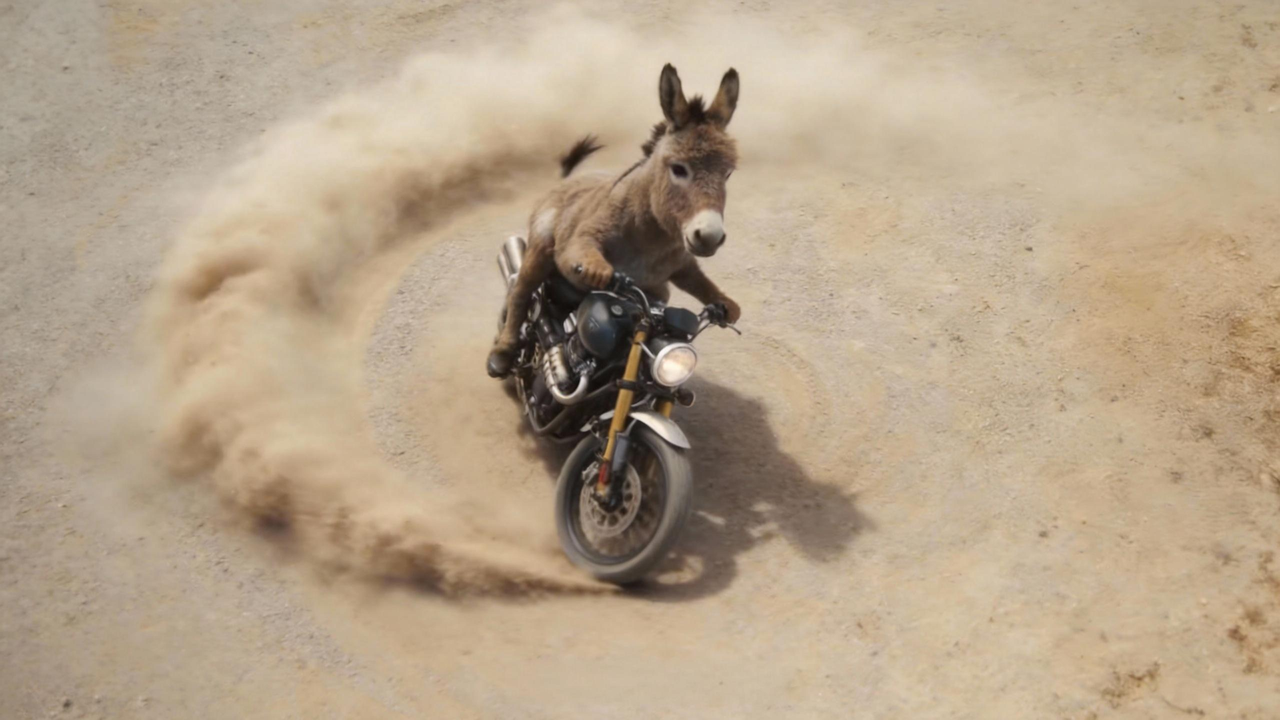




Extend video by 15s, reference @image1 and @image2 donkey-on-motorcycle imagery, add a creative ad. Shot 1: side fixed shot, donkey rides motorcycle out of fence...
Smooth extension and continuation of video clips.
Last updated:
If a clip feels too short, the model can analyze its ending and generate a follow-up shot from your prompt so the sequence continues more naturally. Multiple extensions can be tested from the same footage instead of rebuilding the clip from scratch.
These pages are written as third-party reference summaries rather than official product documentation.
Capability descriptions summarize public Seedance 2.0 launch materials, public project pages, and other publicly accessible explanatory write-ups.
This site does not represent Seedance, official product support, or any authorized partnership unless a page explicitly states that with documented basis.
Platform access, supported features, pricing, UI, and availability can change. Use official or primary sources for current information.

Extend videos with follow-up shots generated from the ending of an existing clip. How it works: the model reads the last frames of your video — analyzing motion trajectory, visual context, and scene composition — then generates a follow-up segment that picks up seamlessly from where the clip ended. Your text prompt guides what happens next while the model handles visual and temporal continuity. When to use this: a product demo clip that ends too soon and needs 5 more seconds to show the full sequence; a teaching video where the experiment runs longer than the original recording; a social-media clip that needs to hit a platform's minimum duration; any case where reshooting is impractical or expensive but the existing footage needs to be longer. Tips and practical notes: keep extension prompts consistent with the original clip's mood, lighting, and action. If you extend multiple times in sequence, check for gradual drift — re-anchoring from the original clip rather than from a previously extended segment helps maintain quality. The model handles both AI-generated and live-action source footage, though live-action with very complex real-world physics (splashing water, crowd movement) may need more specific prompting.
Existing 5-second teaching demonstration video was too short; needed to extend to 15 seconds to fully show the experiment process; reshooting was costly
Used video extension technology to intelligently generate subsequent experiment steps based on the ending frame while maintaining visual style and experimental logic consistency
Public education-use recaps cite extension cost at roughly 10% of a reshoot and a 35% increase in student course completion rate.
Reading note:Existing footage was extended from the last frame instead of scheduling a full reshoot.
Illustrative cases on this site are compiled from public campaign recaps and secondary reporting available at the time of writing.
Metrics reflect the reported campaign period and should not be treated as current performance benchmarks.
Brand names and figures are cited for explanatory use only, not as endorsements, guarantees, or independently audited results.

Video continuation, creative ad extension, forward extension.
Extend video by 15s, reference @image1 and @image2 donkey-on-motorcycle imagery, add a creative ad. Shot 1: side fixed shot, donkey rides motorcycle out of fence...
Extend video by 6s, electric guitar music kicks in, 'JUST DO IT' ad text appears in center then fades out...
Extend @video1 by 15 seconds. 1-5s: light through blinds on wooden table and cup, branches sway gently. 6-10s: coffee bean falls from top, camera pushes in to black. 11-15s: text fades in: Lucky Coffee Breakfast AM 7:00-10:00.
Forward extend 10s, warm afternoon light, camera starts at street awning, pans down to daisies. Protagonist in red sneakers crouches at flower stall, sunflowers in arms, vendor laughs, petals fly, skateboard glides, petals land on deck.
Seedance 2.0 analyzes the end of your video and, from your prompt, generates a natural continuation—same flow, no jarring cut. You can extend multiple times without starting over.
Yes. Video extension works on AI-generated clips and live-action footage. The model maintains visual and motion continuity for seamless results.
You can extend multiple times in sequence. However, after several extensions, check for gradual quality drift. Re-anchoring from the original clip rather than a previously extended segment helps maintain visual consistency.
Each generation produces 4–15 seconds. By chaining extensions, you can build longer sequences, though each segment is generated individually. The multi-clip workflow guide covers how to stitch extended segments smoothly.
Related guides
These guides add workflow, prompt, and use-case context around this capability so the page connects into the broader Seedance topic cluster.
Guide
Step-by-step Seedance 2.0 tutorial for beginners: text-to-video, image-to-video, prompt structure, settings, and your first generation on Dreamina. Updated April 2026.
Open guideGuide
Best practices for Seedance 2.0: prompt formulas, reference assets, camera and motion wording, and quality checks. Based on public guides.
Open guideGuide
How to use Seedance 2.0 today: official pages, where to access it, first steps in Dreamina or other host surfaces, and what to verify before you start.
Open guideGuide
Honest workflow notes when a longer promo is built from several Seedance 2.0 generations: unified references, the per-clip duration cap, audio continuity, and dialogue pacing.
Open guide