Story & Plot Completion

AI-driven creativity and narrative completion.

Last updated:

You have an opening shot but aren’t sure what comes next—or you want to try several story directions fast? Seedance 2.0 takes your opening and a short description, then infers the plot and generates follow-up shots so you can complete the narrative. Trailers, short-form tryouts, or branching endings: it saves a lot of guesswork.

How to read capability pages

These pages are written as third-party reference summaries rather than official product documentation.

Source basis

Capability descriptions summarize public Seedance 2.0 launch materials, public project pages, and other publicly accessible explanatory write-ups.

Boundary

This site does not represent Seedance, official product support, or any authorized partnership unless a page explicitly states that with documented basis.

Timeliness

Platform access, supported features, pricing, UI, and availability can change. Use official or primary sources for current information.

Story & Plot Completion cover image






The model supports creative storytelling and plot completion, helping you extend and refine narratives. How it works: provide an opening shot (image or short clip) plus a text description of where the story should go. The model analyzes narrative cues — scene setup, character positions, mood — then generates follow-up shots that continue the story coherently. You can branch by changing the text prompt while keeping the same opening. When to use this: trailer creation where you need to storyboard multiple narrative arcs quickly; short-form content exploration when you're not sure which direction resonates; episodic brand storytelling where each installment picks up from the last; educational content where a scenario unfolds step by step. Tips and practical notes: keep opening descriptions specific about the emotional tone and setting — 'a tense night alley scene' guides the model better than just 'continue the story.' For branching narratives, generate 3–4 variants from the same opening to compare directions before committing to one. Combining story completion with character consistency ensures the same characters appear across all branches.

Reference Example
The Palace MuseumCultural Tourism

AI Restoration of Ancient Scene Narrative Videos

Reported context

Traditional artifact explanations relied on static images and text; visitors struggled to intuitively understand ancient life scenes like 'Tang Dynasty Chang'an West Market trade prosperity,' and interactive experience was lacking

Reported use

Used plot completion technology to input historical scene descriptions and automatically generate continuous ancient life narrative videos showing complete historical stories

Cited / reported data

Reference figures cited for this example include visitor dwell time rising from 30 to 60 minutes, digital cultural-product sales growing 120% year over year, and 40% of overseas visitors identifying the AI ancient-scene experience as a reason to visit.

Reading note:Historical scene descriptions were expanded into continuous narrative video for exhibition-style storytelling.

Source basis

Illustrative cases on this site are compiled from public campaign recaps and secondary reporting available at the time of writing.

Time context

Metrics reflect the reported campaign period and should not be treated as current performance benchmarks.

Data note

Brand names and figures are cited for explanatory use only, not as endorsements, guarantees, or independently audited results.

Story & Plot Completion example image

Story Completion Examples

Comic panel animation, storyboard to video, mood-inspired generation.


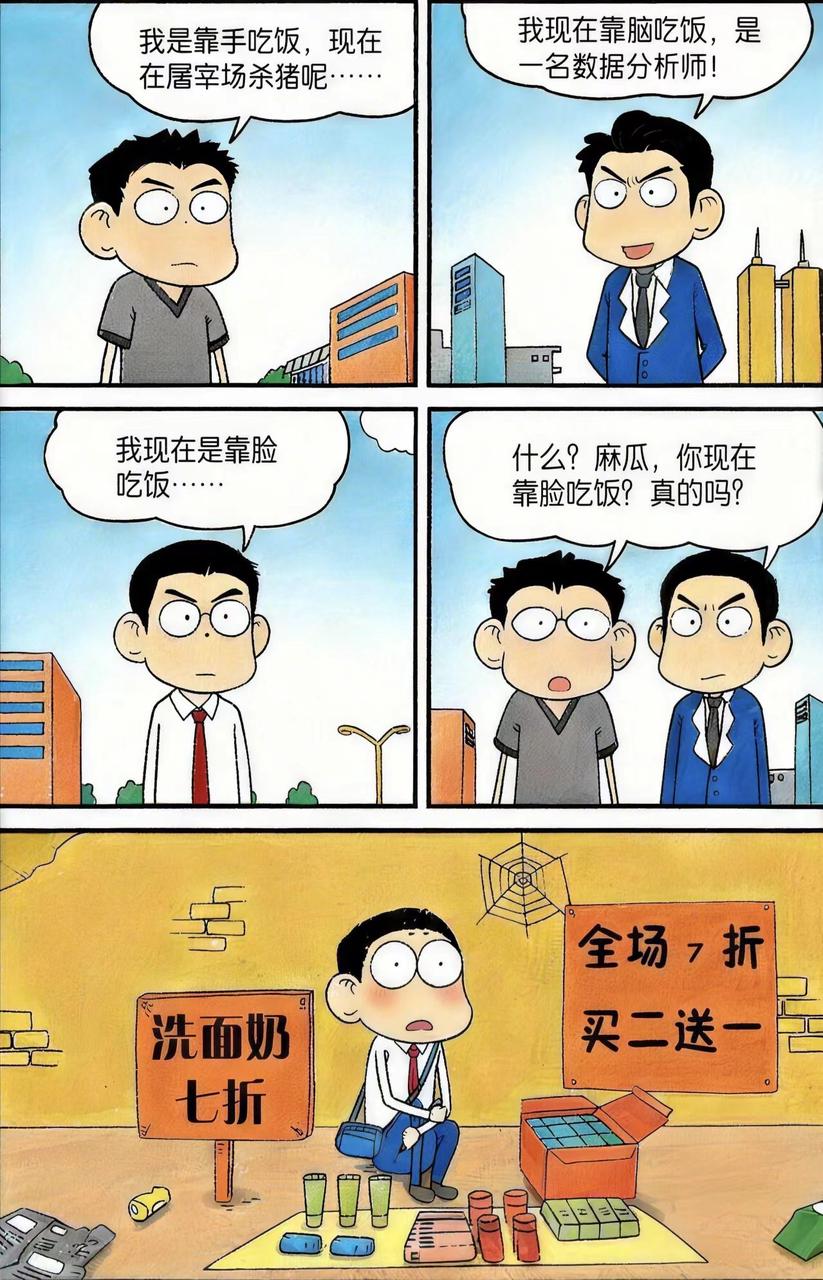
Comic panel-to-animation conversion

AnimeIntermediateComic strip to animated video conversion

Animate @image1 as comic panels left-to-right, top-to-bottom, keep character dialogue consistent with images, add sound effects for panel transitions and key scenes, overall humorous style; reference @video1 for animation style.

Reference images

1Comic panel-to-animation conversion - Reference images 1

Reference images 1: Comic panel-to-animation conversion

Reference video

1Comic panel-to-animation conversion - Reference video 1

Reference video 1: Comic panel-to-animation conversion

Generated result

Seedance 2.0 Comic panel-to-animation conversion — Generated result

Generated result: Comic panel-to-animation conversion — Comic strip to animated video conversion

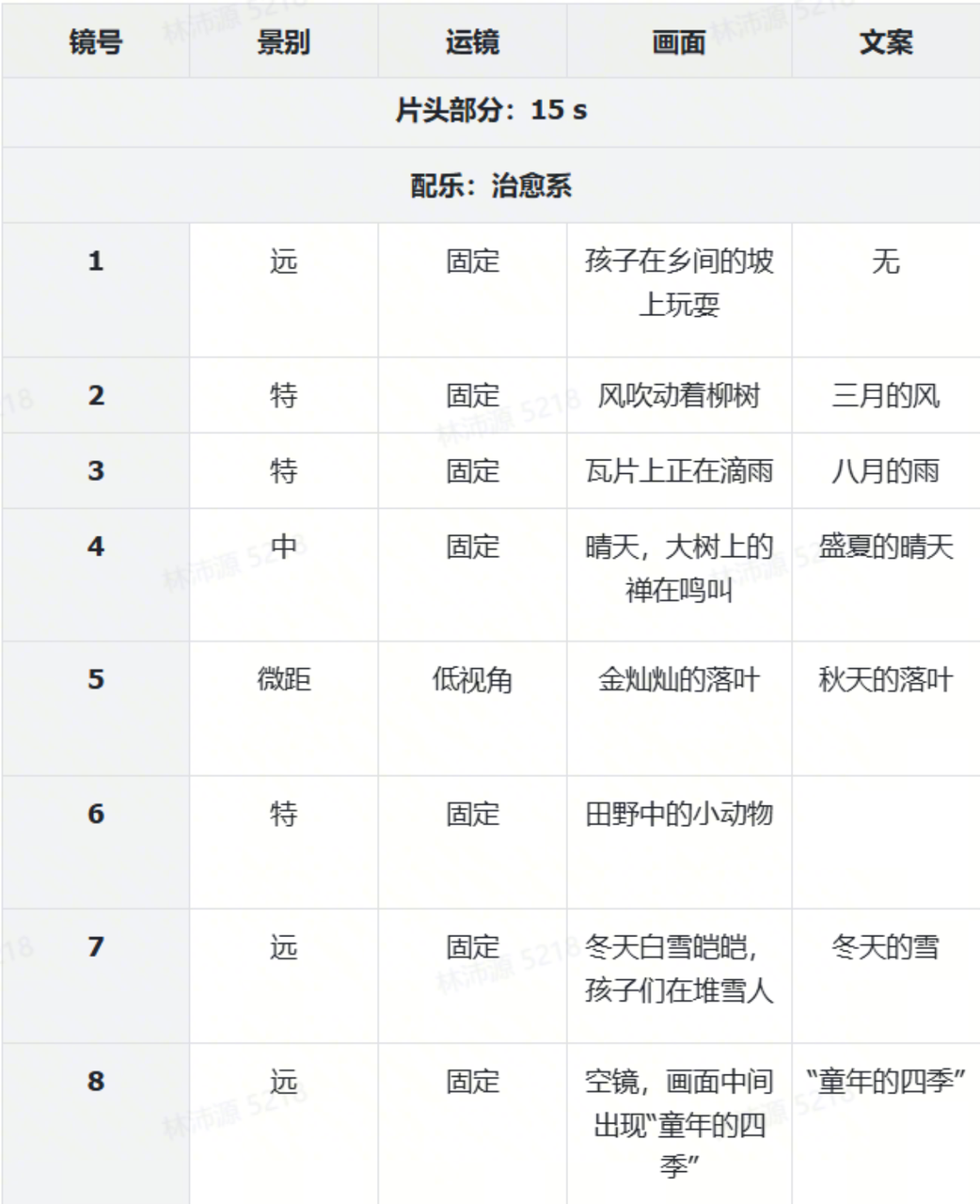
Childhood seasons storyboard

AnimeIntermediateStoryboard to nostalgic animated short

Animate @image1 as comic panels left-to-right, top-to-bottom, childhood seasons in 8 shots, add sound effects for panel transitions and key scenes, healing style.

Reference images

1Childhood seasons storyboard - Reference images 1

Reference images 1: Childhood seasons storyboard

Generated result

Seedance 2.0 Childhood seasons storyboard — Generated result

Generated result: Childhood seasons storyboard — Storyboard to nostalgic animated short

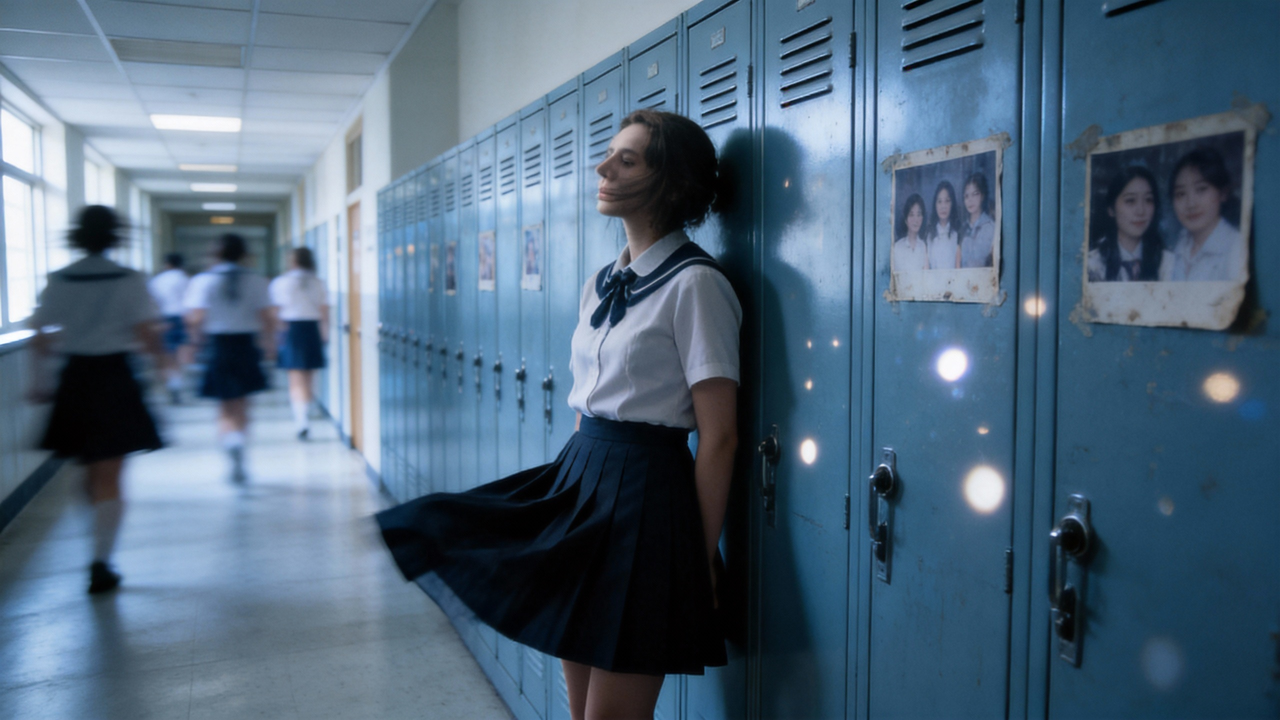
Mood-inspired generation

Music MVAdvancedEmotional video generation inspired by multiple mood references

Reference @video1 audio, use @image1~@image5 as inspiration to generate an emotional video. Background music reference @video1.

Reference images

1Mood-inspired generation - Reference images 1

Reference images 1: Mood-inspired generation

2Mood-inspired generation - Reference images 2

Reference images 2: Mood-inspired generation

3Mood-inspired generation - Reference images 3

Reference images 3: Mood-inspired generation

4Mood-inspired generation - Reference images 4

Reference images 4: Mood-inspired generation

5Mood-inspired generation - Reference images 5

Reference images 5: Mood-inspired generation

Generated result

Seedance 2.0 Mood-inspired generation — Generated result

Generated result: Mood-inspired generation — Emotional video generation inspired by multiple mood references

Frequently asked questions

How does story completion work in Seedance 2.0?

Provide an opening shot and a short description. Seedance 2.0 infers the plot and generates follow-up shots to complete the narrative. Useful for trailers, short-form tryouts, and branching endings.

Can I try multiple story directions?

Yes. Story completion lets you quickly explore different narrative directions by varying your prompt. The model generates coherent follow-up shots for each direction.

How specific should my story description be?

Be specific about emotional tone, setting, and key actions. 'A tense chase through a rainy market at night' guides the model better than 'continue the scene.' The more narrative cues you provide, the more coherent the generated follow-up.

Can I combine story completion with character consistency?

Yes. Use a character reference image alongside your story prompt to ensure the same characters appear throughout all generated scenes and story branches.

Reviewer
Reviewed by Elser AI Editorial Team
Last reviewed
Content basis
Third-party compilation from public sources

This content is compiled from publicly available materials and does not represent official product documentation.

Related capabilities